3D Workspace
Home
Assets
Affiliate Program
Creator Program
Sign up/Log in
View Plans
DCC Bridge
Anonymous1776579485
04-27 10:04
Model Name
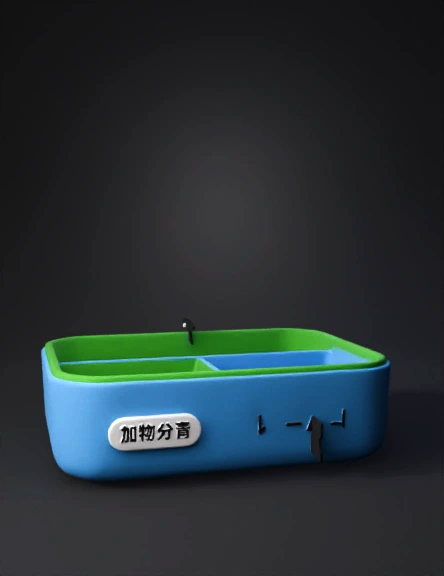
餐盒3d模型
Tags
compartments
lunch
props
props realistic
props rendering
props rendering realistic
realistic
rendering
rendering realistic
Prompt
✏️ 手繪步驟(照畫就好) ① 畫外型 👉 畫一個「長方形盒子」(像便當盒) 👉 上面再畫一個蓋子 _________ | | ← 上蓋 |---------| | | | | ← 盒子 |_________| ② 畫內部(分隔) 👉 在盒子裡面畫2~3個格子 | | | |---|---| | | 👉 旁邊寫:「食物分隔」 ③ 加功能標示(重點!) 在圖上用箭頭標👇 👉 上蓋 → 寫:「提醒燈(用餐提醒)」 👉 底部 → 寫:「加熱裝置」 👉 外殼 → 寫:「環保材質」 ④ 加一點小細節(加分但很簡單) 你可以再畫: 一個小按鈕 👉「開關」 或旁邊畫手機 👉「可提醒」
Detailed Info
Related Models
Enter invite code
Enter invite code to get credits!
 Anonymous1776579485


 Anonymous1776579485